Notesfor your loadsA timerfor your restA PDFfor your plan
02 The film
46 seconds · sound on
03 What it does
Everything between you and the next set.
A
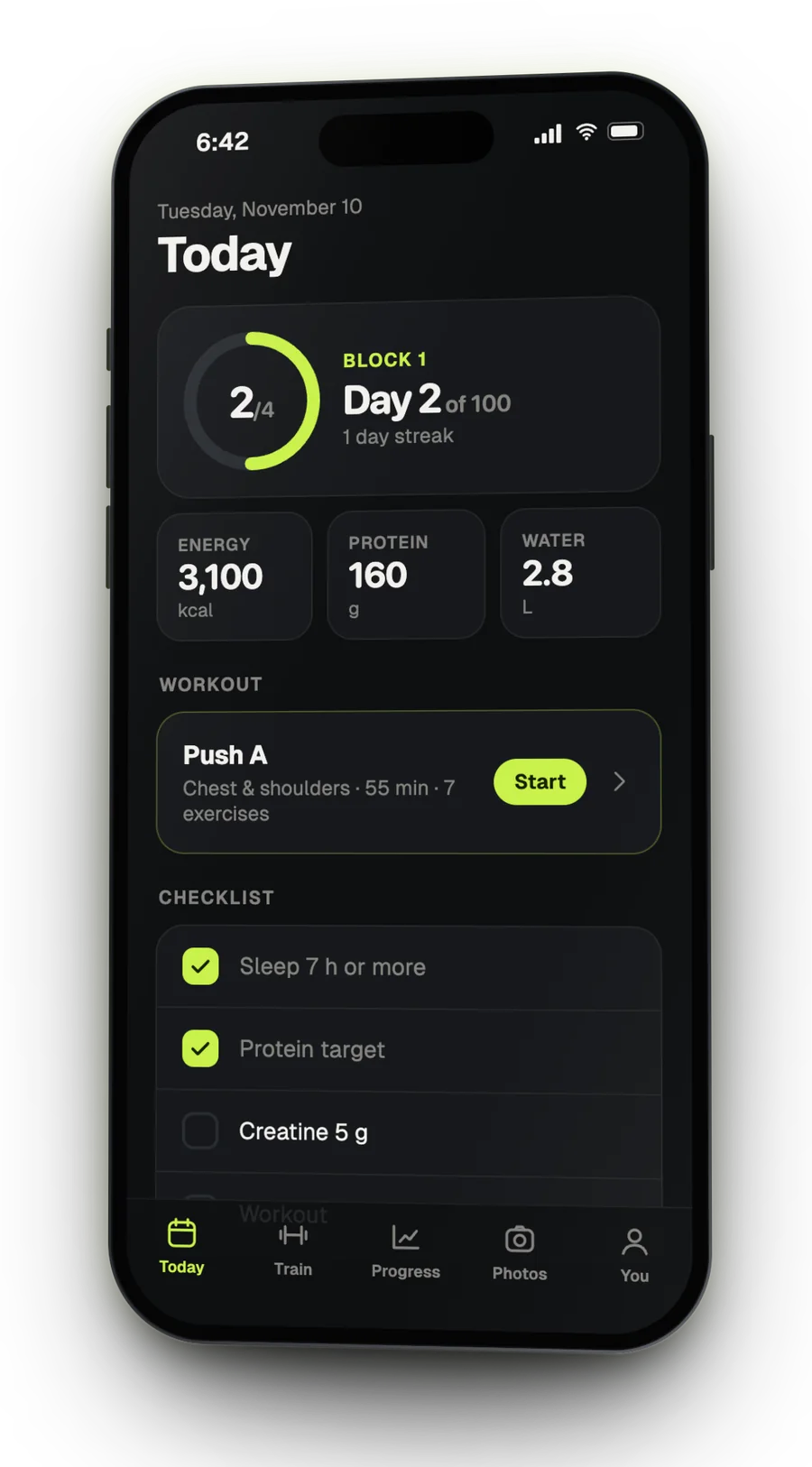
Today's plan is waiting.
Open it and the workout your calendar calls for is right there, next to the day's checklist and your calorie, protein and water targets.
A weekly schedule, or a rotation while you travel
A checklist you write yourself, with a streak
Targets worked out from your own profile
B
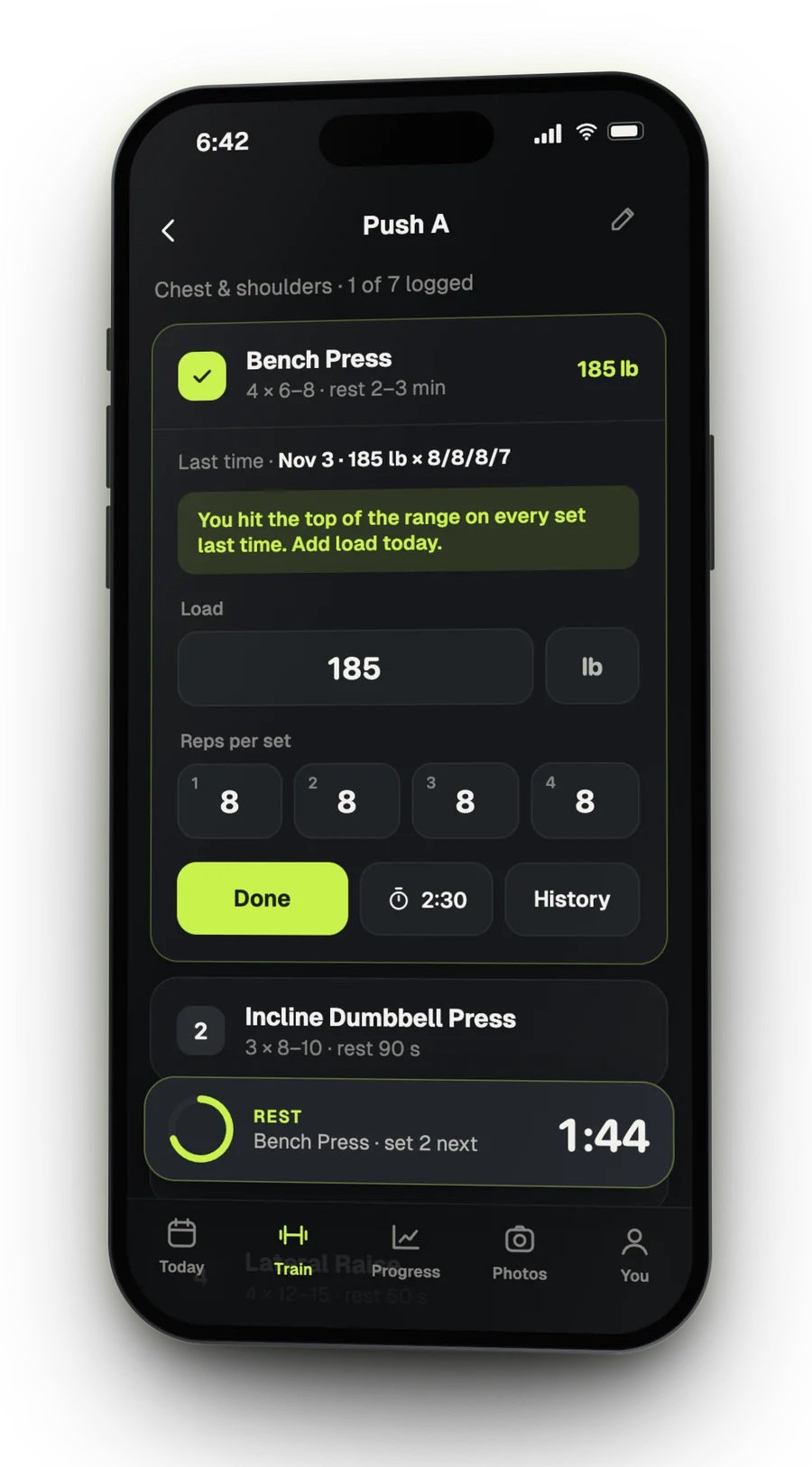
It remembers every lift.
Last session sits on screen while you lift. Hit the top of your range on every set and it says it straight: add weight.
Load, reps and effort, saved as you type
History for every exercise, one tap away
Keeps working when the gym has no signal
C
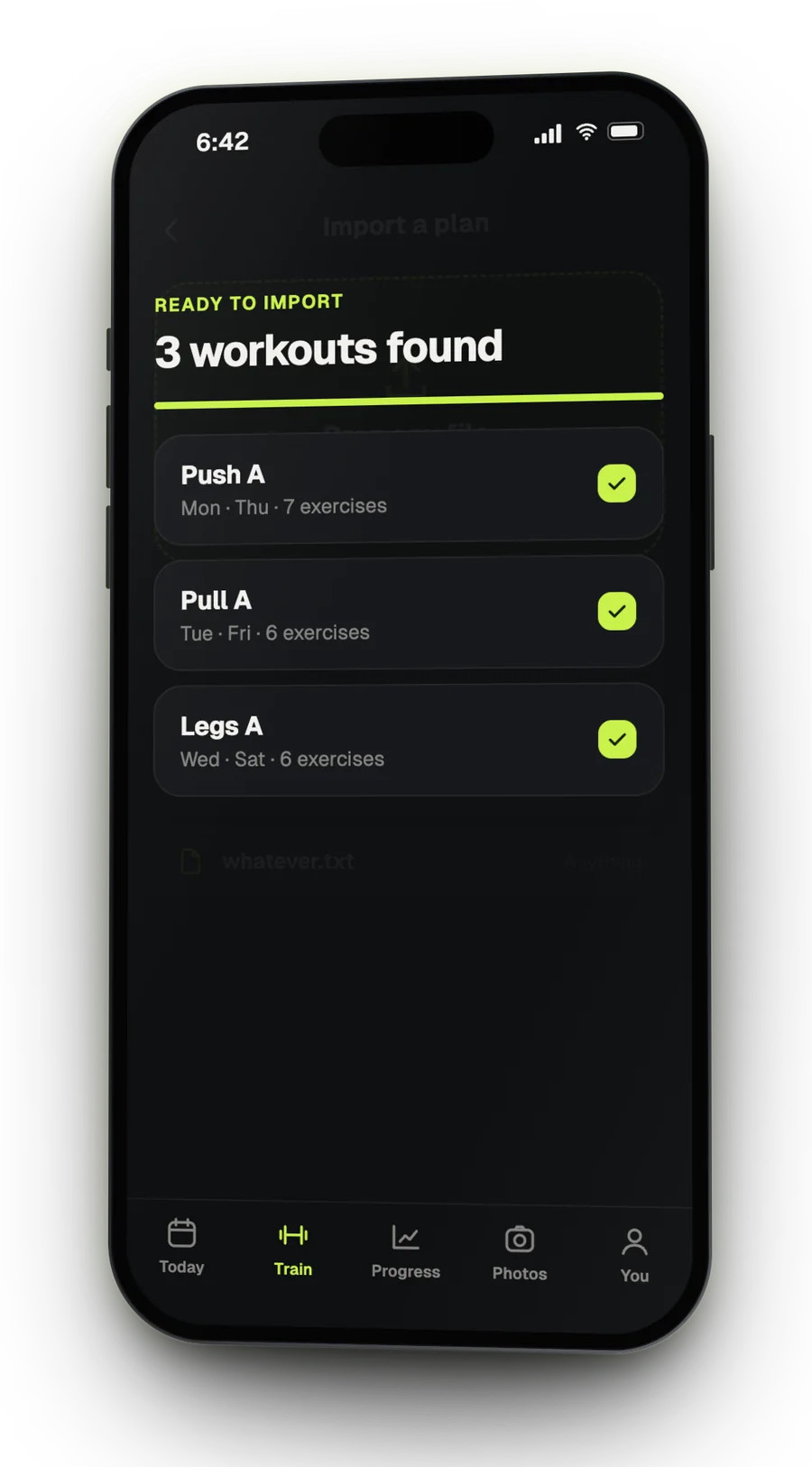
Throw your plan in.
A PDF from your coach, a photo of a sheet, a spreadsheet, whatever. Carga reads it, shows the workouts it found, and you check them before anything is saved.
PDF, Excel, Numbers, Word, CSV, photos or pasted text
Or start from a ready-made split
Every workout and exercise stays editable
D
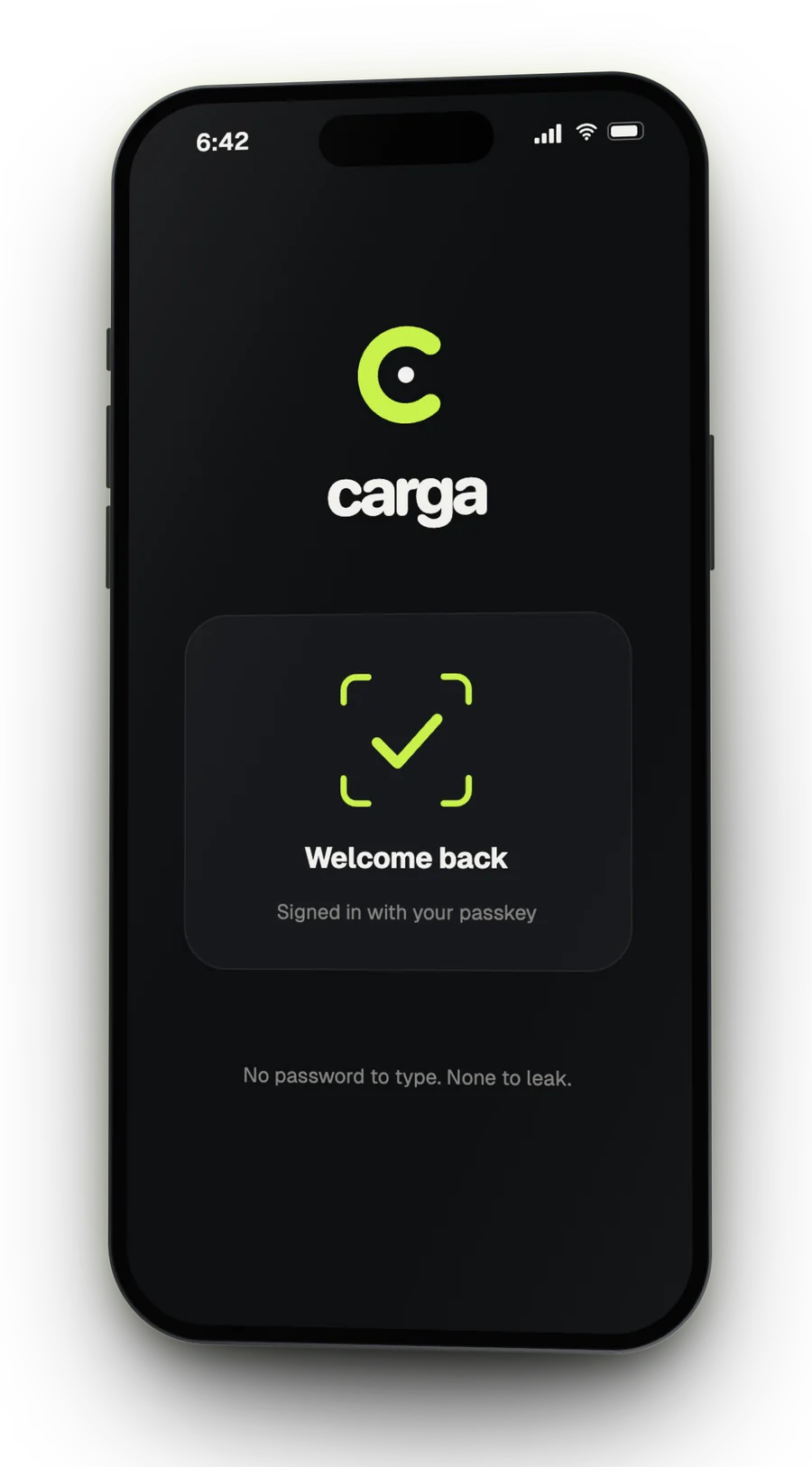
Face ID. You're in.
No account form, no password, no email to confirm. A passkey on your phone is the whole sign-in.
Face ID, Touch ID or your phone's PIN
Lives on your Home Screen like any app
A short guide walks you through the first steps
04 Try it
Log a set. The timer starts itself.
No watch. No second app. Go on: tap Done.
1
Bench Press4 × 6–8 · rest 2–3 min
185 lb
1828384–
Rest2:30
05 Progress
Progress stops being a feeling.
165lb
Bench press · working load · 12 weeks · sample data
Per liftLoad over the weeks, for every exercise you log.
Body weightA weekly average, read against your goal.
StreakThe days your checklist was complete.
PhotosFront, side and back, compared side by side.
06 Privacy
All private. Passwords.
Passkeys only
You sign in with Face ID, Touch ID or your phone's PIN. There is no password to type, reuse or leak.
A database of your own
Your training lives in its own private store. Other accounts can't reach it, and neither can the person who runs Carga.
Photos encrypted at rest
Every person's photos are locked with a key of their own.
Yours to take or delete
Export everything, or delete your account, from inside the app.
cargaInvite
One link. One person.
carga.ricardogross.comOne-time · 7 days
07 Get in
Invite only, for now.
Carga is in a first round with a small group of lifters.